Google Search Console shows you exactly how your pest control site performs in search — queries, clicks, indexing, and fixes.
Many people think that Google is the World Wide Web, but it is not. However, it is the most comprehensive library on the internet. It is true that when you put something online, Google’s bot will eventually find it within 90 days. However, for small businesses where cash flow is king, your business could run out of money in 90 days before you find the right customer. It is crucial to know how to use Google Console to ensure that you are searchable and visible on Google.
Google is the number one search engine on the internet because the information you will find there is correct. That is because people, such as small business owners, input verifiable information. The more there is confirmation that your information is accurate, the higher the chances of your business getting visibility in Google. The search engine will not know you exist if you do not produce content and tell Google about you and your business.
The Google Search Console is a cool tool with a laser-sharp focus on organic traffic. This tool grants you insight into how your audience discovers your digital presence. Here's the kicker – no ad spend is required. It allows you to see the data that Google has on how people are finding you organically. It's about people searching for things, then your site is showing up on the Google search results.
It's a really powerful tool because if you can maximize the unpaid traffic you get to the site, that's just free.
Free traffic. Free attention. Free potential customers.
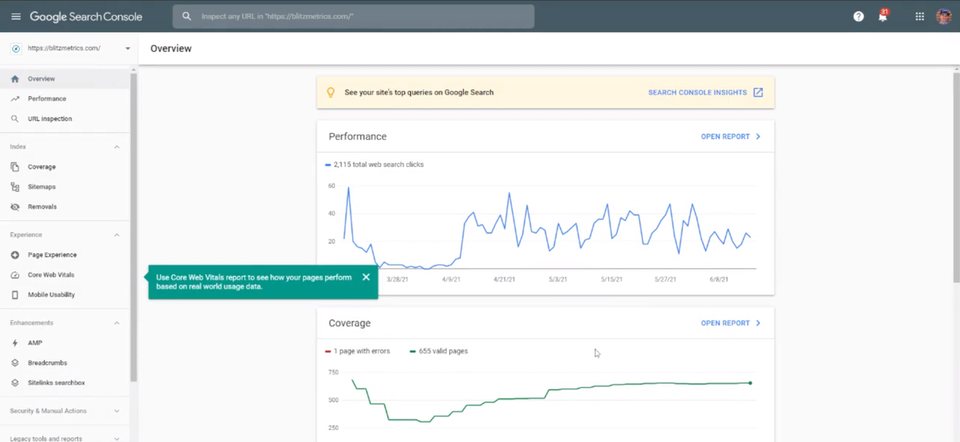
This is not something that you have to install on your site. This is something that you have to verify your rights to see this data. Essentially, Google already has this data on your site. It already crawls it and ranks you organically.
This is how you prove to Google that you have the right permissions to be able to see this data. So there are a couple of ways to do that which we will cover in the Digital Plumbing section of this book.
Maria Elena Duron On Linking Google Tools
Anyone can link their Google My Business or Google Business Profile to their Google Analytics or Google Search Console. There are a lot of resources available to you. You can go to grow.google.com or search on YouTube, there are things like Google Academy, where you can go through workshops and prerecorded videos but what we find is that most businesses are way too busy and way overwhelmed.
Some posts don’t work for the Google My Business platform.
The thing that you need to remember is who your audience is in your Business Profile. So you might be saying something funny, let’s say you’re posting something on Instagram and it’s saying, “Hey, what’s the one business tool you need every single day.” So you might have a little hand pointing down to make a comment because it’s keeping your post on Instagram really interactive but that’s not going to work in your Business Profile, because people don’t interact with that and people are searching for something specific, so you need to be the bearer of the solution.
So they may not know that you have a product or service that can serve them, but they know they need a solution so they’re looking for that, or they’re looking for you specifically and they’re not interested in engaging.
Get Verified On Google With Six Easy Steps
To get started, you need to have a Google account and follow these steps:
- Go to the Google Search Console.
- Click the “Start Now” button.
- Sign in with your Google account.
- Enter the URL of your website and click “Continue.”
- Select the method you want to use to verify your website. Several options are available, including HTML file upload, HTML tag, Google Analytics, and Google Tag Manager.
- Follow the instructions provided to complete the verification process.
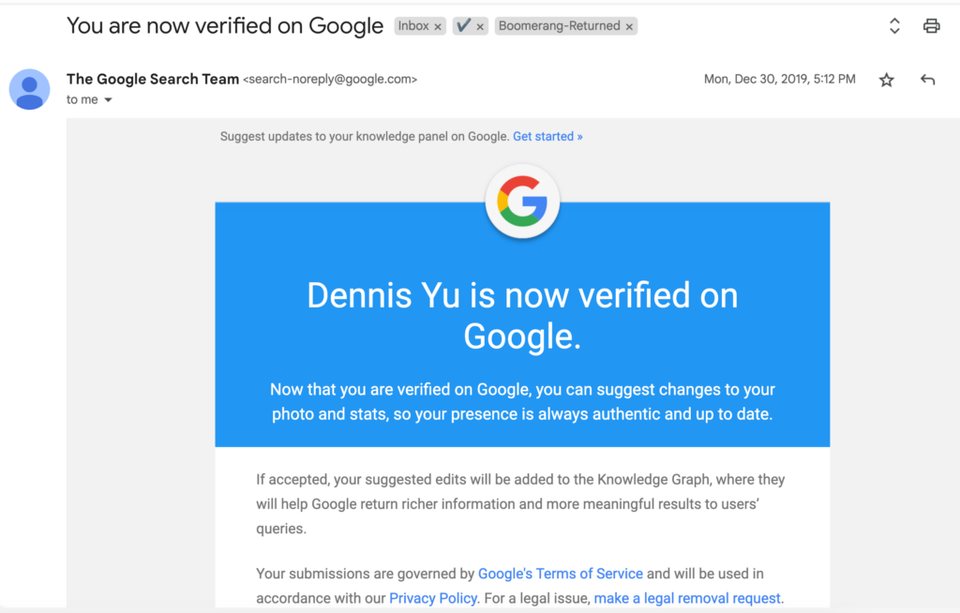
Once your website is verified, you’ll be able to use the Google Search Console to view and manage your website’s appearance in Google search results, submit sitemaps, and get alerts when Google encounters issues while crawling your website.
Once you’ve verified your account, you’ll get an email like the above. And then you’ll be able to claim your Google Knowledge Panel, which we will cover in a later chapter of this book.
Keep in mind that Google may only show a Knowledge Panel for some people, places, or organizations and that it may take some time for your changes to appear in the search results.
Danny Leibrandt On Empowering Home Service Businesses Through Analytics
In digital marketing agencies, many agencies fail to harness the power of data and analytics. When you delve into the depths of your Google Analytics account, or leverage tools like ATFs, and a data tracker, what emerges is important information such as the number of keywords you rank for, the volume of clicks you receive, and various other metrics that hold the key to optimizing your performance.
Around the first half of 2023, we conducted an audit for a client who was shelling out a staggering $12,000 per month for SEO services. The agency responsible vehemently proclaimed their efforts, but when asked to provide evidence, they hesitated and withheld the requested information. Undeterred, we used our tools to delve into the data.
We examined the client’s keyword rankings, website traffic, competitor analysis, and map rankings and even uncovered malicious spam links, including a dubious attempt by an unidentified competitor to tarnish their online presence through the purchase of adult site links.
This eye-opening experience highlights the importance of understanding SEO tools and using platforms such as Google Search Console.
Integrating With Google Analytics And Google Ads
Make sure you integrate your search console with your Google Analytics and your Google ads because Google’s going to tell you when there are problems.
And if you want to rank in Google, then you need to use Google’s tools.
Google literally will tell you what’s going on. They will tell you:
- Pages that have a problem that needs fixing
- A website not loading fast.
- Crappy links attached to your website
- Bloated code and you’re on a shared server
The tool that everyone should start with is the Search Console. And this is something that most people are not even aware of. Google has dozens of tools but most people think Google’s just a search engine.
Google gives you this incredible SEO tool and it’s for FREE. It’s considered the best SEO tool because it’s actually from Google.
Remember this is not the same thing as Google Analytics, although you can tie your Google search console with Google Analytics by just asking your web person or whoever’s in charge of your website to verify that you own the site, and then Google is going to give you all the information like:
- Where your traffic is coming from.
- Problems with your webpages.
- Web pages are loading slowly.
- Problems because of core web vitals.
- What keywords you’re ranking on.
- Which websites are giving you the most SEO power.
Another tool that I find helpful is Semrush. This is my favorite, however, it’s a little expensive. It’s a couple of thousand bucks a month and what it does is it allows you to see the kind of things that we’d like to look at.
What are the things that you rank on in the first a hundred search results? And just like an old joke we know, “Where do you hide a dead body? – On the second page of Google.”
Meaning if you’re not on the first page, it doesn’t matter. And there are different types of results such as universal search that includes news, images, videos, shopping, movies, and other kinds of categorized information.
Examples and Extra Advice
Let’s take a look at some actual businesses.
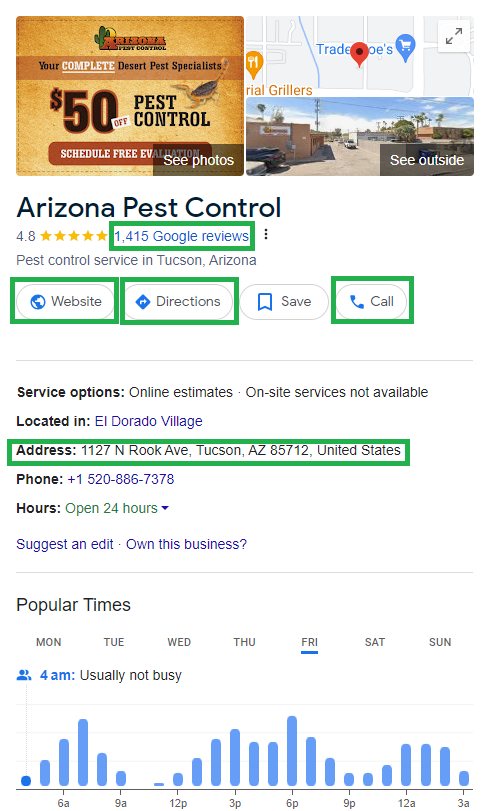
Arizona Pest Control
They have a little over 1400 reviews, which is good. They also have a website, directions, a phone number, an address, and all the basic elements – so far so good.
We’re not going into the website for this one, but we’ll talk more about that in our next example.
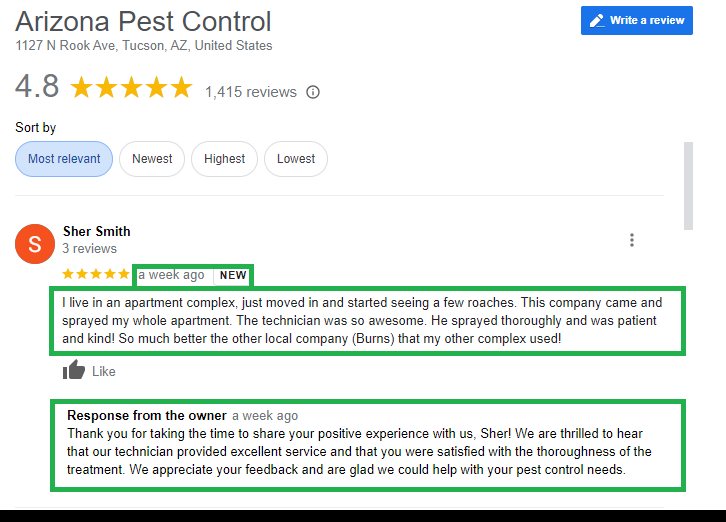
This is a great example. The review is relatively recent – 1 week ago (which is super good because < 30 days' reviews are the best).
It has three lines of text. Plus, the business responded to it so overall super good. This is what you want for your business.
You want to respond to every single review you get.
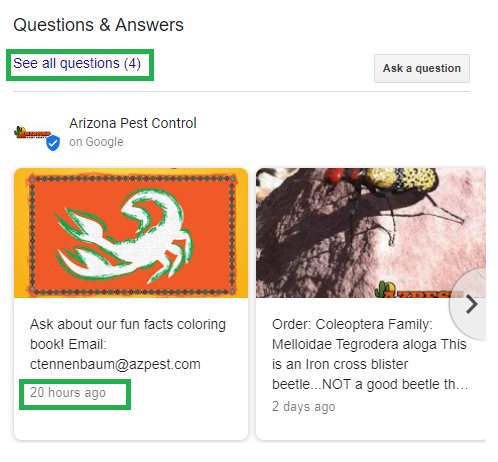
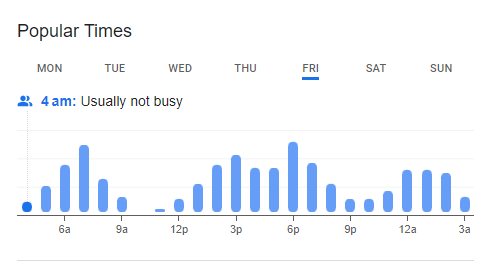
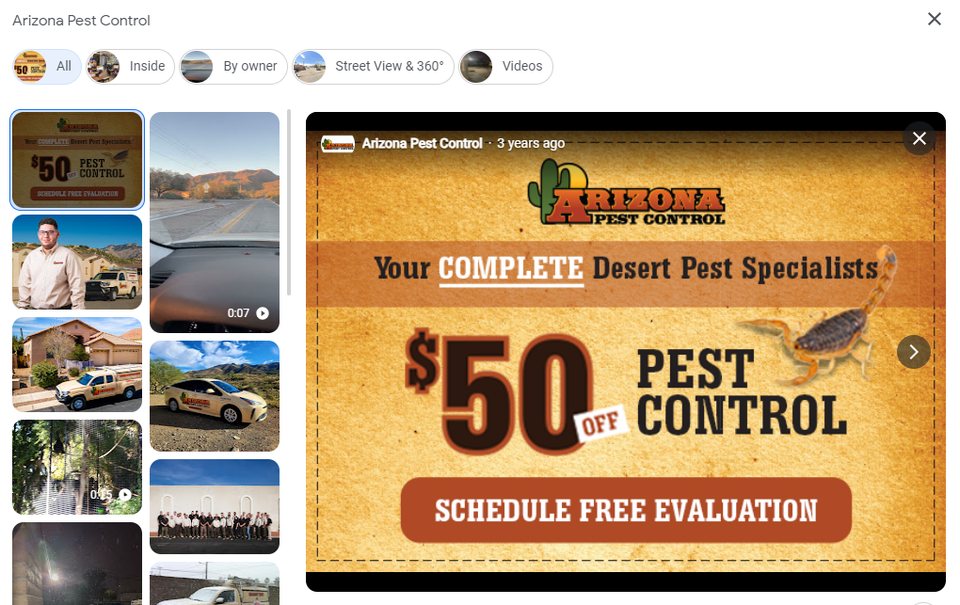
They also have questions and post frequent updates. Another great thing that most businesses don’t include in their GBP listing: Popular times and photos.
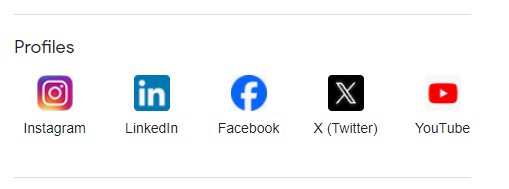
Bonus points for linking their social media profiles.
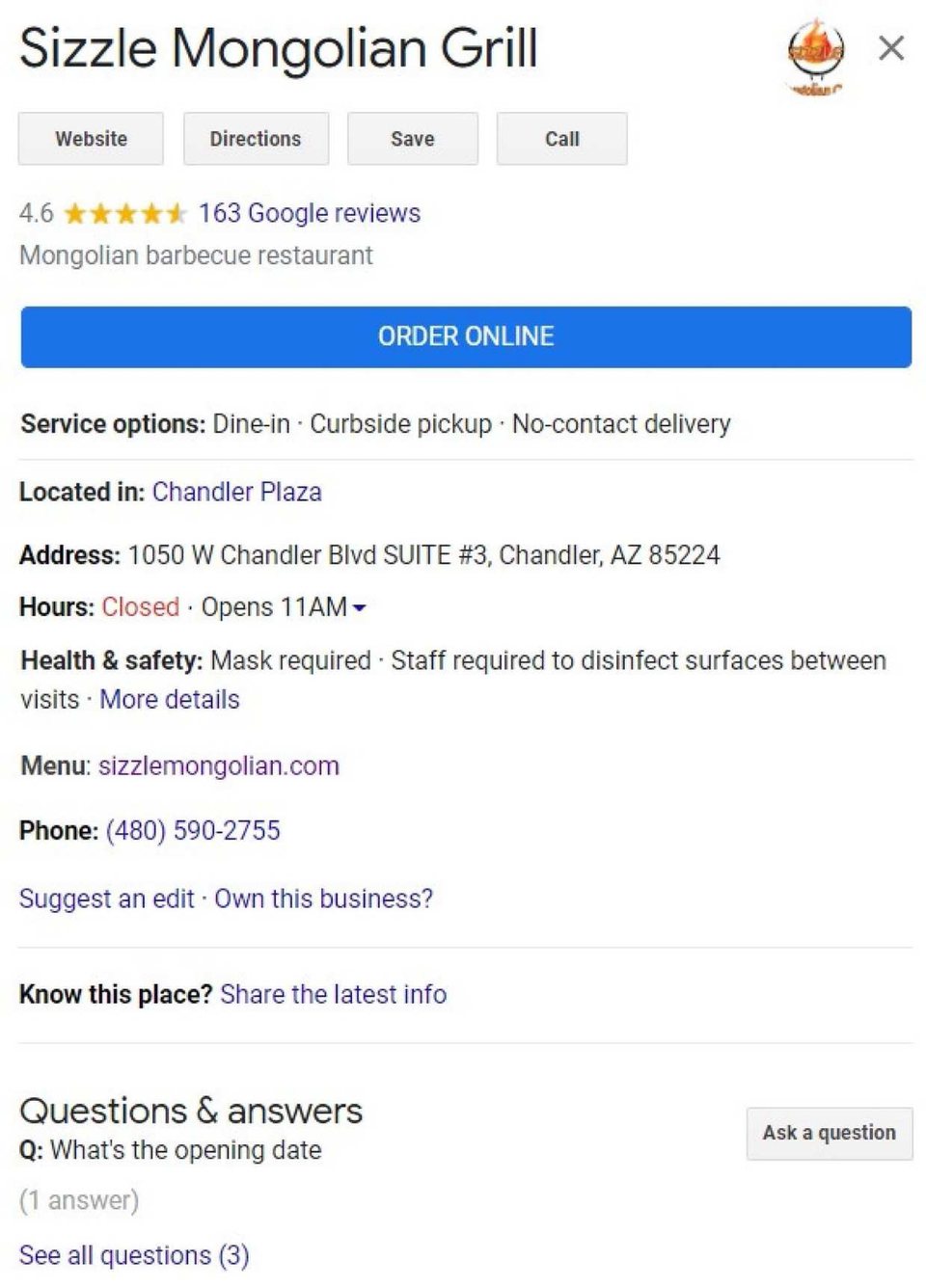
Sizzle Mongolian Grill
Fewer reviews, fewer photos and content in the reviews, and also fewer responses from the owner. Only three questions, no posts, no offers, and just one social platform linked.
This is still a relatively good profile, but not as good as the previous one.
Let’s see how their website is doing.
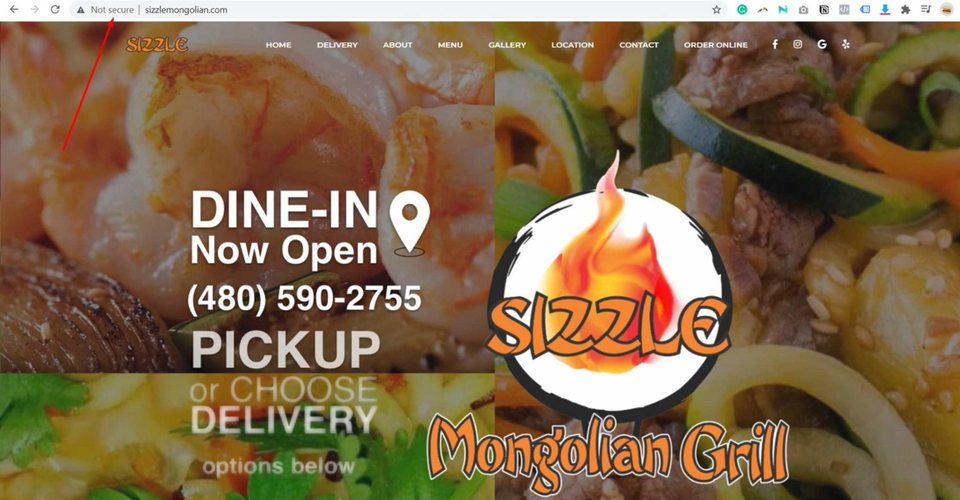
Their website is not secure. That means it doesn’t have an SSL certificate installed.
You need to have that on your website because if you don’t, people are going to be more skeptical about entering your website.
Google might also give warnings telling people the website is not secure which will also affect your tracking and indexing.
Responsiveness
To check your website’s responsiveness, do this:
- Right-click on the page and choose Inspect
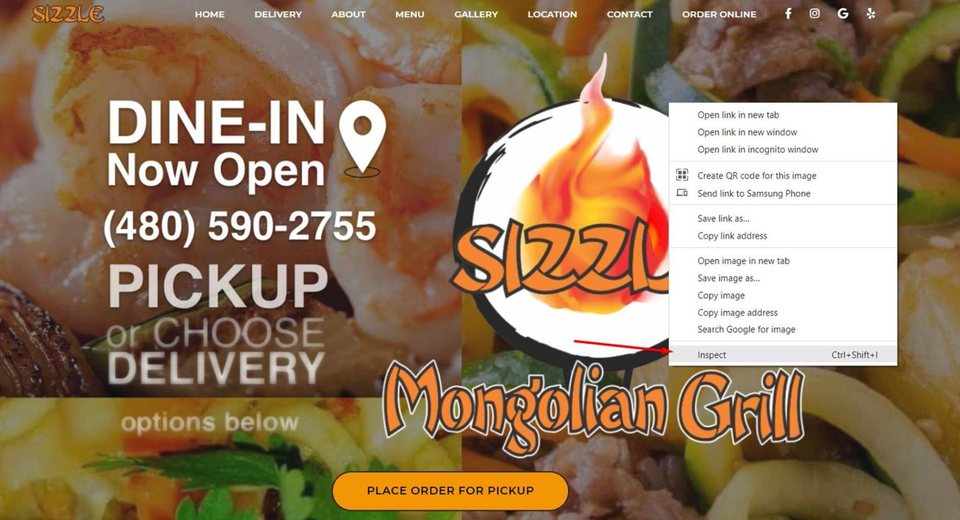
That will take you here.
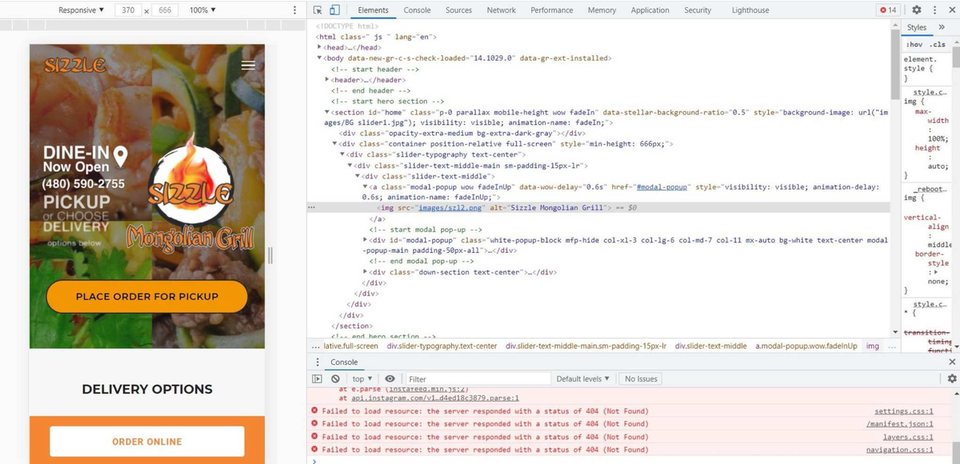
Don’t get scared because it’s not complicated.
- Click on the list in the top left corner and choose the view you want for the website. You have multiple options.
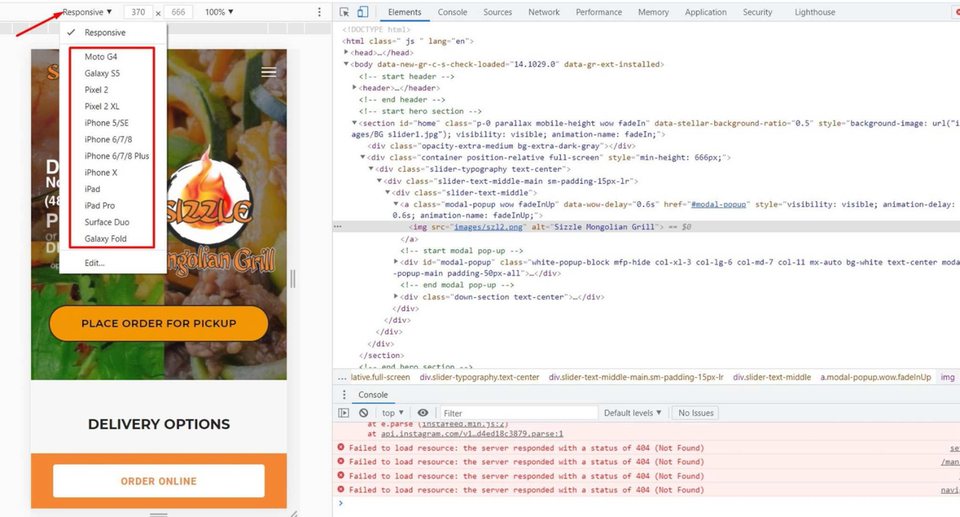
You can choose a responsive or a particular type of device. If the website fits well inside the view, without cut corners, text, or images – then it’s responsive.
If it doesn't fit well, talk to your web designer and have it fixed as soon as possible.
Over 80% of traffic is on mobile, so a non-responsive website is a waste of money, time, and energy.
Web Pages
Go to Google and search for “site: [Your website URL]”. Here’s an example:
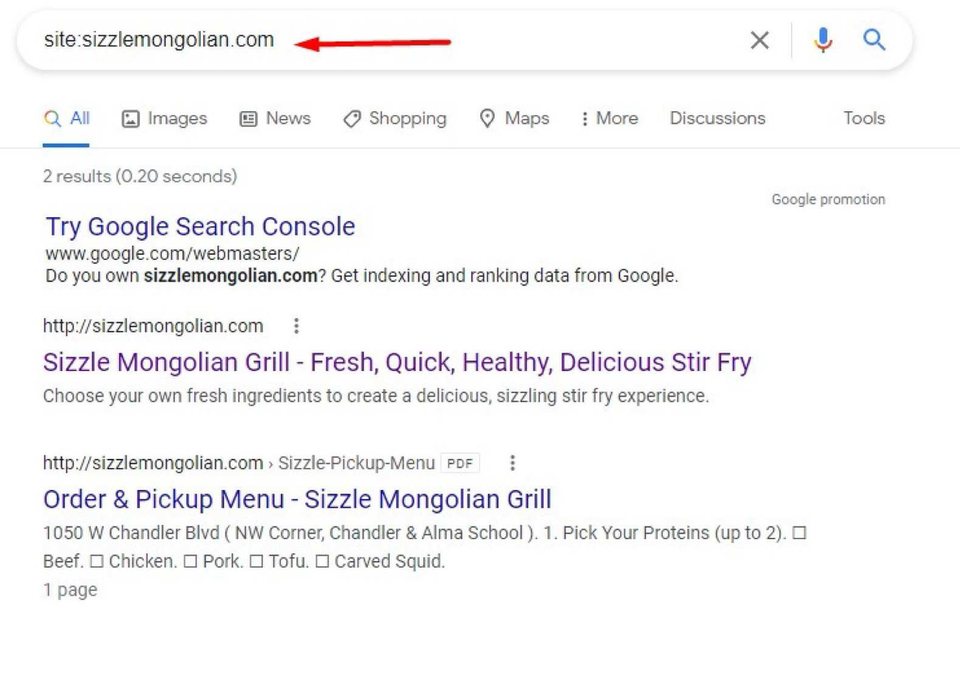
What does that do?
It tells us how many web pages there are on this website. There were only two that could be used.
If you're a local business, you should have at least 100 web pages. It seems like a lot, but it’s not.
Every review you have, every social post, every tweet, every one of those, you just turn into a post. It’s super easy to do on WordPress.
Now, because this website only has two pages, it’s hard to rank on Google for a lot of keywords, because you can’t just add thousands of keywords on two pages without making them look horrible and meaningless.
However, if you have dozens or even hundreds of pages, you can create content around a lot of keywords, which puts you in a better position on Google.
You can identify the keywords you’re ranking on and keywords that are used often using Google Search Console and Google Analytics.
You can also use tools like Ahrefs (https://ahrefs.com/) and SpyFu (https://www.spyfu.com/).
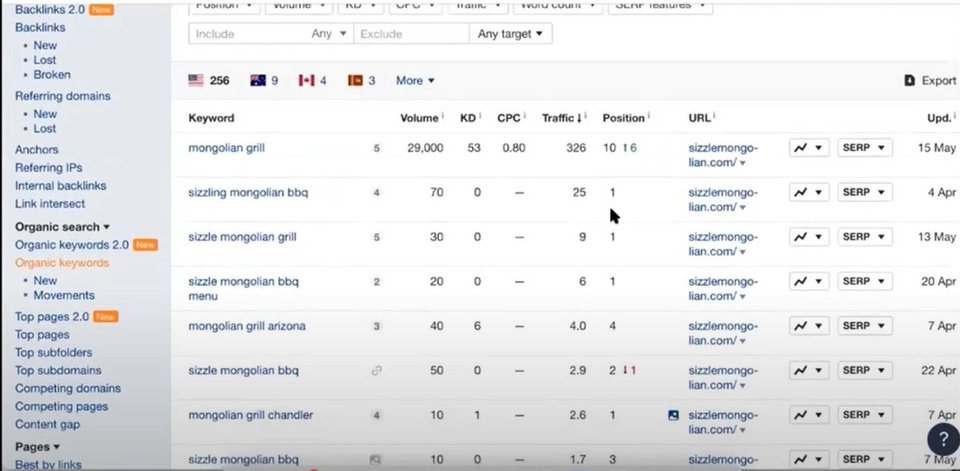
For Sizzle Mongolian, their homepage is the one that's ranking for all these keywords, but what if they had 20 more pages? Imagine how it could be then.
When Google wants to show something about this type of food, it only has two choices to show, because they put everything on just 2 pages.
Lenny’s Burgers
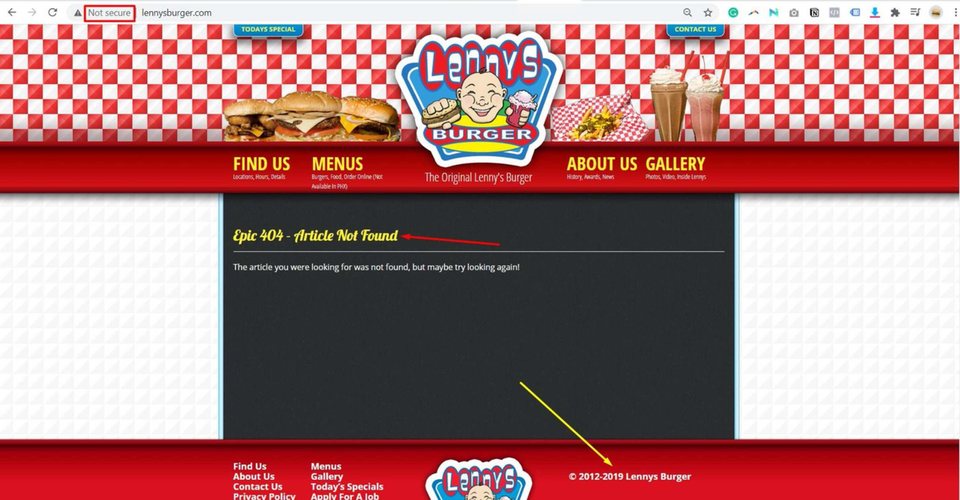
This website is not secure. Besides that, they don’t have a favicon at the top. Their homepage is down, and the copyrights at the end of the page are until 2019 only.
These are simple optimizations that you should do no matter what.
Keyword Ranking
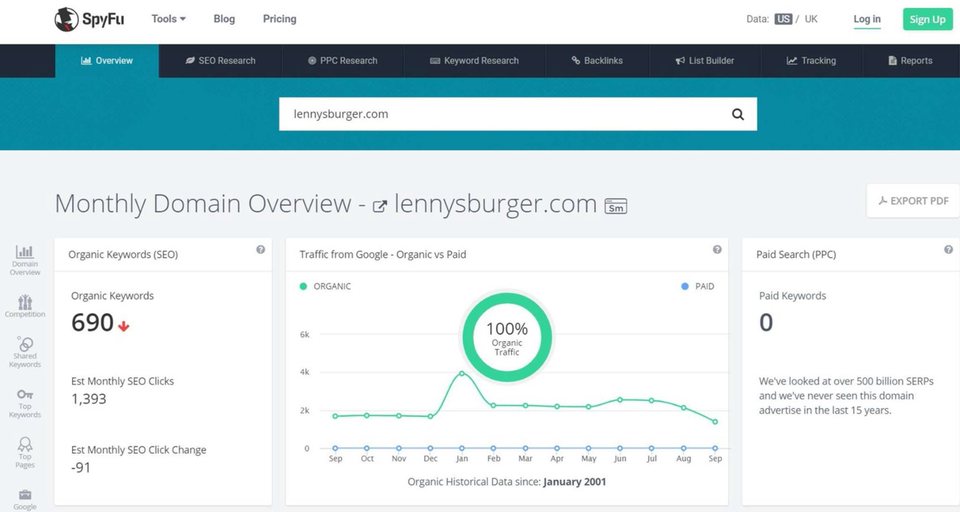
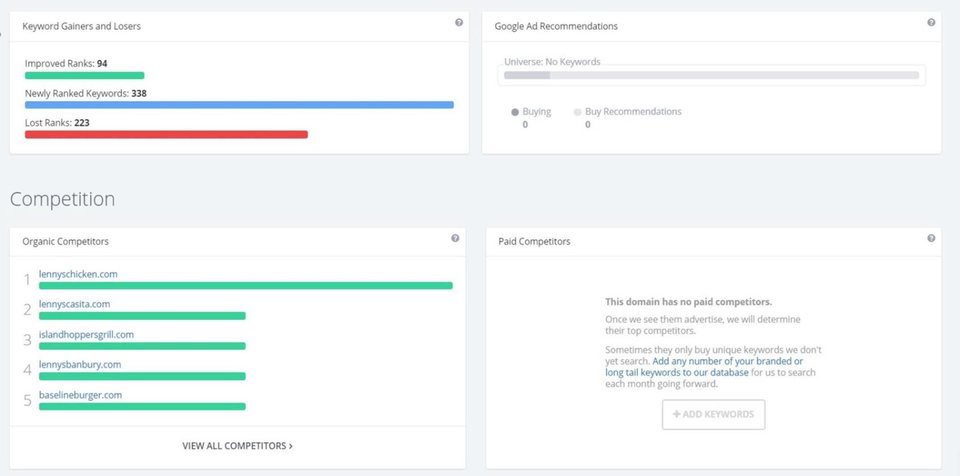
If you go on SpyFu.com, you can search for your website URL to see how well you’re ranking for keywords, what your competitors are, what kind of searches people do, and a few other things.
Google Mobile and Desktop Scores
If you go to Google’s Speed Insights, you can see what score your website has on mobile and desktop.
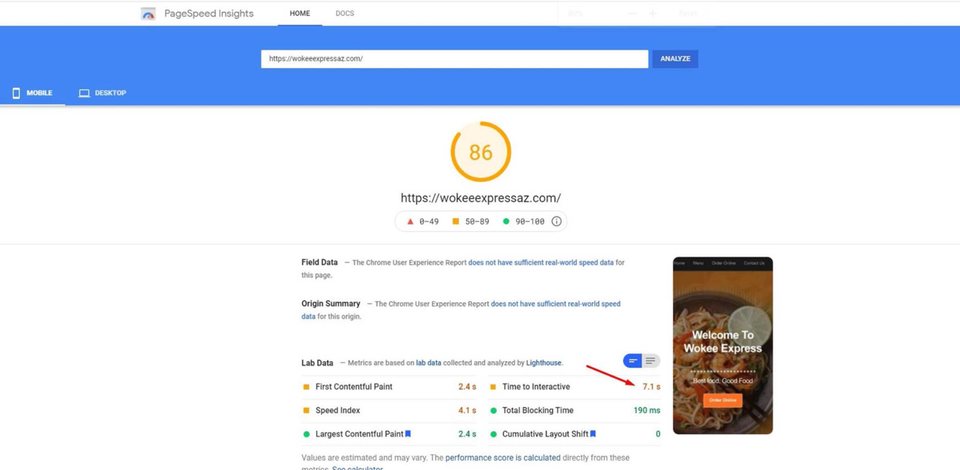
This website has a pretty good score, but the time to interact is really bad at 7.1 seconds.
Most people are not going to wait that long for a website to load. So if your website takes longer than 2 or 3 seconds to load, it’s unlikely people are going to wait.
Even if you have the best food, even if you have a beautiful design.
And very often, it can take so long to load because of the images. They might be too big so it slows down the response. But you can compress those in a lot of ways, so try that if your loading speed is not good.
Also, make sure to cache the images you use – there are plenty of tools inside WordPress for this.
Bonus tip: Don’t use a carousel in the header because it’s going to make things worse. It’s just a distraction.
Put this chapter to work
Want to know exactly where your pest control company stands? Get your free marketing audit — we score what’s already public about you and show you the gaps before you spend a dollar.
Building your name, not just your company? The Pest Control Spotlight plan puts a personal brand website behind you for $99/month.
← Location Service Pages That Win Pest Control Jobs · All chapters · Google Analytics for Pest Control Companies →